DBAN was the default recommendation for free disk wiping for nearly two decades — but it has not seen an update since 2015, it cannot boot on modern UEFI systems without workarounds, and it has zero SSD support. ShredOS picks up where DBAN left off. Built around nwipe, the actively maintained community fork of DBAN's core wiping engine, ShredOS is a bootable Linux distribution purpose-built for secure drive erasure. It is free, open-source, and still getting updates. But is it enough for your needs? We put it through its paces.
Key Takeaways:
- ShredOS with nwipe is the best free, open-source alternative to DBAN for securely wiping hard drives in 2026
- It supports both UEFI and legacy BIOS boot — a critical advantage over DBAN on modern hardware
- nwipe supports multiple erasure standards including NIST 800-88 Clear, DoD 5220.22-M, Gutmann, and RCMP TSSIT OPS-II
- SSD support is limited to overwrite methods within nwipe; firmware-level ATA Secure Erase and NVMe Sanitize require manual command-line work
- ShredOS does not generate certificates of erasure — businesses needing compliance documentation should look at paid alternatives
Quick Specs
| Detail | Info |
|---|---|
| Price | Free (open source, GPL-2.0) |
| Developer | PartialVolume (GitHub community project) |
| Core engine | nwipe (fork of DBAN's dwipe) |
| Platform | Bootable USB (Linux-based) |
| Boot support | UEFI + Legacy BIOS |
| Erasure methods | 9+ (Zero, Random, NIST 800-88, DoD Short, DoD ECE, RCMP, HMG IS5, Gutmann, PRNG) |
| HDD support | Full — all overwrite methods |
| SSD support | Partial — overwrite via nwipe; ATA Secure Erase / NVMe Sanitize via manual CLI |
| Interface | Terminal-based (ncurses TUI) |
| Certificates | None |
| Last updated | Actively maintained (regular releases on GitHub) |
| Download | ShredOS GitHub Releases |
What Is ShredOS?
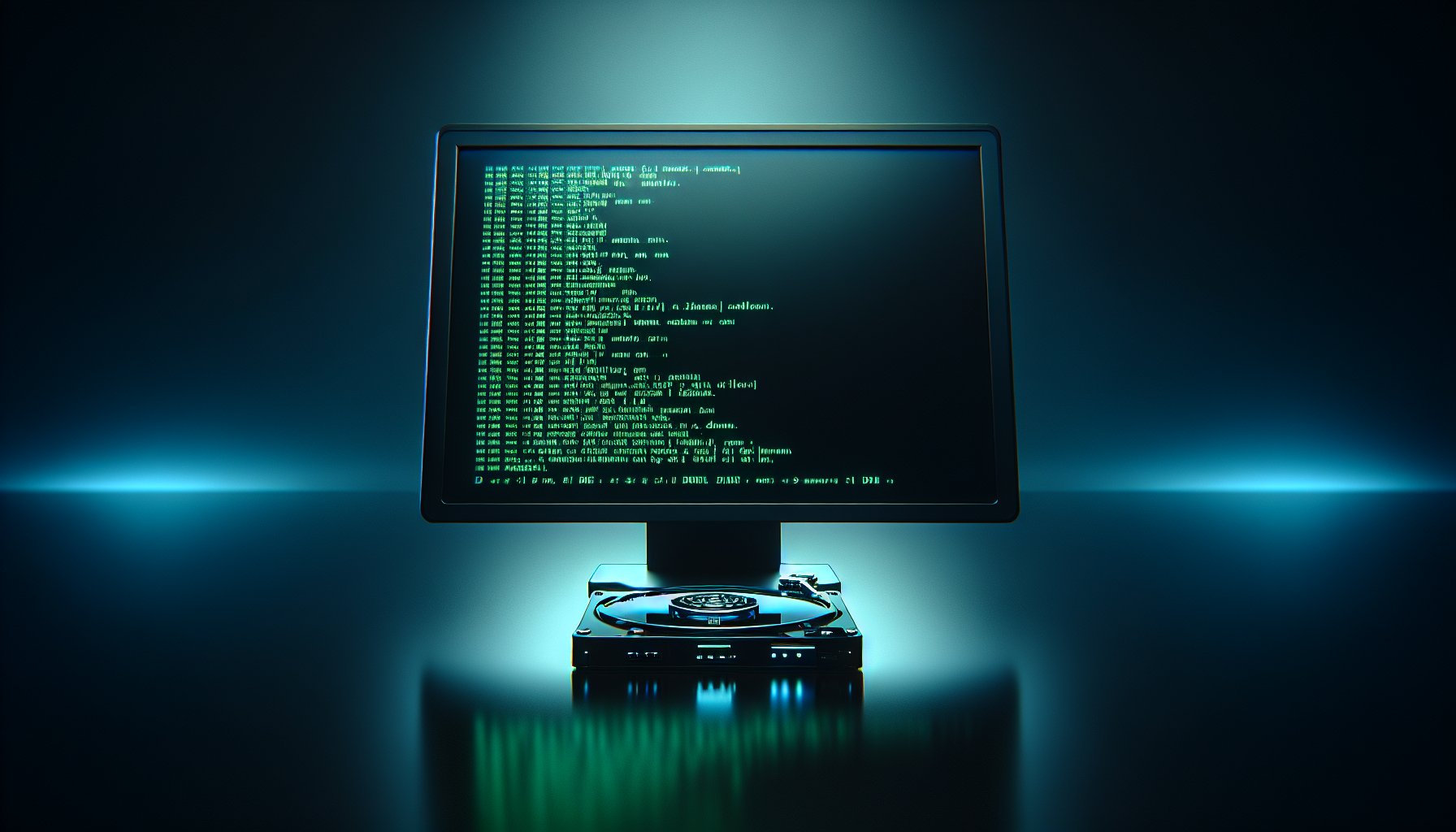
ShredOS is a minimal, bootable Linux distribution whose entire purpose is drive erasure. You write it to a USB stick, boot from it, and it drops you straight into the nwipe interface — a terminal-based tool that lets you select connected drives, choose an erasure method, and start wiping. There is no desktop environment, no package manager, and no extra software beyond what is needed to find and erase storage devices.
The key relationship to understand: nwipe is the actual wiping engine, and ShredOS is the bootable operating system that runs it. nwipe is the community-maintained fork of dwipe, which was the engine inside DBAN. When DBAN development stalled after the 2015 release, the community forked dwipe into nwipe and continued active development. ShredOS packages nwipe into a bootable image so you can run it on any computer without an installed OS — just like DBAN, but with modern hardware support.
nwipe is also available as a standalone package in the repositories of most major Linux distributions (Debian, Ubuntu, Fedora, Arch). If you already have a working Linux system, you can install nwipe directly without needing ShredOS. But for wiping a system drive or working on a machine with no OS, the ShredOS bootable image is the way to go.
For a broader look at how ShredOS fits into the free tool landscape, see our best data erasure software roundup.
ShredOS vs. DBAN: What Changed?
If you are familiar with DBAN, ShredOS will feel immediately recognizable — the nwipe interface is a direct descendant of DBAN's dwipe. But there are meaningful differences under the hood.
| Feature | ShredOS (nwipe) | DBAN (dwipe) |
|---|---|---|
| Last updated | 2025 (active development) | 2015 (abandoned) |
| License | GPL-2.0 (open source) | Freeware (closed after Blancco acquisition) |
| UEFI boot | Yes | No — BIOS only |
| Secure Boot | No (must disable Secure Boot) | No |
| Erasure methods | 9+ including NIST 800-88, HMG IS5 | 6 (DoD, Gutmann, RCMP, PRNG, Zero, One) |
| SSD tools included | Yes — hdparm, nvme-cli bundled | No |
| ATA Secure Erase | Via hdparm (manual CLI) | Not available |
| NVMe Sanitize | Via nvme-cli (manual CLI) | Not available |
| Interface | ncurses TUI | ncurses TUI (similar look) |
| Logging | Detailed log files per drive | Basic logging |
| Certificates | None | None |
| NVMe drive detection | Yes | No |
| Source code | Fully available on GitHub | Not available (post-acquisition) |
The UEFI support alone makes ShredOS the better choice for any computer manufactured in the last decade. DBAN only boots in legacy BIOS mode, which means you need to hunt through firmware settings to enable CSM (Compatibility Support Module) — and some modern systems have removed CSM entirely, making DBAN physically unable to boot.
For a deeper look at DBAN's strengths and weaknesses, read our DBAN review.
How to Use ShredOS
Getting started with ShredOS takes about 10 minutes. Here is the process:
Step 1: Download the Image
Head to the ShredOS GitHub releases page and download the latest .img file. There are separate builds for 64-bit UEFI, 64-bit legacy BIOS, and 32-bit systems. For most modern computers, grab the 64-bit UEFI image.
Step 2: Write to USB
Use a disk imaging tool to write the .img file to a USB drive (minimum 512 MB). On Windows, Rufus works well — select the .img file, choose your USB target, and click Start. On Linux or macOS, the dd command works:
sudo dd if=shredos.img of=/dev/sdX bs=4M status=progressReplace /dev/sdX with your USB device path. Double-check you have the right device — this command will overwrite whatever is on the target drive.
Step 3: Boot from USB
Insert the USB drive into the target computer, enter the boot menu (usually F12, F2, or Del during startup), and select the USB drive. If the computer uses UEFI, make sure Secure Boot is disabled in the firmware settings — ShredOS is not signed and will not boot with Secure Boot enabled.
Step 4: Select Drives and Wipe
ShredOS boots directly into the nwipe interface. You will see a list of all detected storage devices. Use the arrow keys to navigate, press Space to select drives for wiping, press m to change the erasure method, and press Shift+S to start. nwipe will display real-time progress including speed, percentage complete, and estimated time remaining.
After completion, nwipe writes a log file to the USB drive documenting the erasure. This is a plain-text log — not a formal certificate, but useful for personal record-keeping.
For a complete walkthrough of the wiping process across different tools, see our guide to wiping a hard drive.
Key Features
Multiple Erasure Methods
nwipe supports a comprehensive set of erasure standards:
- Zero fill — Writes zeros to every sector (single pass)
- Random fill (PRNG) — Writes pseudorandom data (single pass)
- NIST 800-88 Clear — Single-pass overwrite with verification, per NIST SP 800-88 guidelines
- DoD 5220.22-M Short — 3-pass overwrite (zeros, ones, random)
- DoD 5220.22-M ECE — 7-pass overwrite (extended variant)
- RCMP TSSIT OPS-II — 8-pass overwrite (Canadian government standard)
- HMG IS5 Baseline — 1-pass overwrite (UK government standard)
- HMG IS5 Enhanced — 3-pass overwrite (UK government standard)
- Gutmann — 35-pass overwrite (legacy, unnecessary for modern drives)
For modern HDDs, a single zero fill or NIST 800-88 Clear pass is sufficient. NIST guidance explicitly states that one overwrite pass makes data recovery infeasible on current-generation hard drives. Multi-pass methods exist for legacy compliance requirements but offer no practical security benefit on drives manufactured in the last 15 years.
UEFI and Legacy BIOS Boot
ShredOS provides separate images for UEFI and legacy BIOS systems, covering virtually every x86 computer in existence. This is a meaningful upgrade from DBAN, which only supports legacy BIOS and cannot boot at all on systems where CSM has been removed.
Bundled SSD Erasure Tools
While nwipe itself is an overwrite-based tool (best suited for HDDs), the ShredOS environment includes hdparm and nvme-cli for issuing firmware-level commands to SSDs:
- hdparm — Sends ATA Secure Erase commands to SATA SSDs
- nvme-cli — Sends NVMe Sanitize and NVMe Format commands to NVMe SSDs
These commands must be run manually from a terminal session outside of nwipe. You press Ctrl+C to exit nwipe (or switch to another virtual terminal with Alt+F2), then run the appropriate command. This is not as streamlined as a tool with integrated SSD support, but it gets the job done at zero cost.
Bottom Line: ShredOS with nwipe is the strongest free option for disk erasure in 2026. It picks up exactly where DBAN left off — same familiar interface, same core wiping logic — but with active maintenance, UEFI support, and SSD erasure tools included. For HDD wiping, it is hard to justify paying for anything else. For SSD erasure, it works but requires comfort with command-line tools. The lack of certificates means it is a personal-use and small-business tool, not an enterprise compliance solution.
Detailed Per-Drive Logging
nwipe generates a log file for every drive it wipes, recording the erasure method, start and end time, drive model and serial number, pass count, and verification result. These logs are saved to the USB drive and can be retrieved after the wipe completes. While not a formal certificate of erasure, they provide a basic paper trail.
Multi-Drive Simultaneous Wiping
nwipe can wipe multiple drives simultaneously. Select as many drives as you want from the interface, hit start, and nwipe processes them in parallel. Each drive gets its own progress bar and completion status. This is particularly useful when decommissioning multiple drives from a server or workstation.
Open-Source Auditability
The entire ShredOS and nwipe codebase is available on GitHub under the GPL-2.0 license. Anyone can inspect the source code to verify exactly what the software does to your drives. For security-conscious users and organizations, this transparency is valuable — you do not have to trust a vendor's claims about their wiping process when you can read the code yourself.
Limitations
ShredOS is an excellent free tool, but it has clear boundaries:
No certificates of erasure. This is the biggest gap for professional use. If your organization is subject to HIPAA, GDPR, PCI DSS, or any other data protection regulation that requires documented proof of data sanitization, ShredOS cannot help you. You need a tool like BitRaser Drive Eraser that generates tamper-proof, verifiable certificates.
SSD erasure is manual and separate from nwipe. nwipe's overwrite methods do not account for SSD wear leveling, over-provisioning, or flash translation layer behavior. Overwriting an SSD with nwipe will erase most data, but it cannot reach data stored in areas that the drive's controller has remapped or reserved. For a thorough SSD wipe, you must exit nwipe and use hdparm or nvme-cli — which requires knowing the right commands and understanding the risks. For more on why HDDs and SSDs need different treatment, read our article on SSD vs. HDD data erasure differences.
Terminal-only interface. ShredOS has no graphical interface. Everything happens in a text-based terminal. The nwipe TUI is well-designed and straightforward once you learn the keyboard shortcuts, but it will intimidate users who are not comfortable with terminal-based tools.
No Secure Boot support. You must disable Secure Boot in the computer's UEFI firmware settings before ShredOS will boot. This is a minor inconvenience on personal machines but can be a policy issue in managed enterprise environments where Secure Boot is enforced.
No remote or centralized management. There is no way to manage ShredOS deployments across multiple machines from a central console. Every wipe is a hands-on, physical process. For IT departments wiping dozens or hundreds of drives, this lack of fleet management is a real productivity bottleneck compared to enterprise tools.
No Windows or macOS desktop application. ShredOS is bootable-only. If you want to wipe a secondary drive from within a running operating system, you need a different tool.
Pros & Cons
Pros:
- Completely free and open source (GPL-2.0)
- Actively maintained with regular releases — no abandonment risk like DBAN
- Supports UEFI and legacy BIOS boot
- 9+ erasure methods including NIST 800-88 and DoD 5220.22-M
- Includes hdparm and nvme-cli for SSD firmware-level erasure
- Multi-drive simultaneous wiping
- Fully auditable source code on GitHub
- Per-drive log files for basic record-keeping
- Direct descendant of DBAN's wiping engine — proven, trusted code
Cons:
- No certificates of erasure — unsuitable for regulatory compliance
- SSD erasure requires manual command-line work outside nwipe
- Terminal-based interface only — no GUI
- Must disable Secure Boot to use
- No centralized management or remote deployment
- No Windows or macOS desktop application
- Documentation is community-maintained and sometimes incomplete
- No official support channel — community forums and GitHub issues only
Who Is ShredOS Best For?
Home users retiring old computers. If you are selling, donating, or recycling a computer with a traditional hard drive, ShredOS is the perfect tool. Boot from USB, select the drive, start the wipe, and walk away. Zero cost, fully effective.
IT professionals wiping HDDs in bulk. Small IT shops and consultants who regularly wipe batches of hard drives will appreciate the multi-drive support and zero licensing cost. The lack of certificates is only an issue if your clients require formal documentation.
Linux enthusiasts and technical users. If you are comfortable with a terminal and want full control over the erasure process — including manual SSD commands — ShredOS gives you the tools without any vendor lock-in or licensing restrictions.
Anyone upgrading from DBAN. If DBAN has been your go-to and you have run into problems booting on newer hardware, ShredOS is the natural successor. Same core engine, same interface style, but with modern hardware support.
Not ideal for: Enterprise IT departments that need compliance certificates, centralized fleet management, or integrated SSD support without command-line work. For those needs, look at BitRaser Drive Eraser or KillDisk Ultimate.
Frequently Asked Questions
Is ShredOS the same as DBAN?
No. ShredOS is a separate project that wraps nwipe — the community fork of DBAN's original dwipe engine — inside a modern bootable Linux environment. While the core wiping logic shares a common ancestor, ShredOS is actively maintained, supports UEFI boot, and includes tools for SSD erasure that DBAN lacks.
Can ShredOS wipe SSDs?
Partially. ShredOS can overwrite SSDs using nwipe, but overwriting alone does not reach data hidden in over-provisioned and wear-leveled areas of flash storage. For thorough SSD erasure, you need to use the bundled hdparm or nvme-cli tools to issue firmware-level ATA Secure Erase or NVMe Sanitize commands outside of the nwipe interface.
Does ShredOS generate certificates of erasure?
No. ShredOS and nwipe do not produce certificates of data erasure. If you need documented proof of sanitization for regulatory compliance (HIPAA, GDPR, PCI DSS), you will need a paid tool like BitRaser Drive Eraser or KillDisk Professional that generates verifiable certificates.
Does ShredOS support UEFI boot?
Yes. ShredOS supports both UEFI and legacy BIOS boot modes, which is a significant advantage over DBAN. Most computers manufactured after 2012 use UEFI firmware, and DBAN's lack of UEFI support makes it incompatible with many modern systems without workarounds.
How do I create a bootable ShredOS USB drive?
Download the latest ShredOS .img file from the GitHub releases page, then write it to a USB drive using a tool like Rufus (Windows), Etcher (cross-platform), or the dd command (Linux/macOS). The USB drive needs to be at least 512 MB. Boot from the USB and ShredOS loads directly into the nwipe interface.
Is nwipe safe to use?
Yes. nwipe is a well-established, GPL-licensed open-source project with publicly auditable source code. It is included in the official package repositories of major Linux distributions including Debian, Ubuntu, and Fedora. The code is reviewed by the open-source community and has been in active development since 2014.
What erasure methods does nwipe support?
nwipe supports multiple erasure methods including zero fill, random data fill, NIST 800-88 Clear, DoD 5220.22-M (Short and ECE variants), RCMP TSSIT OPS-II, British HMG IS5 (baseline and enhanced), Gutmann 35-pass, and PRNG stream. For modern HDDs, a single zero or random fill pass is sufficient per NIST guidance.
Can ShredOS wipe NVMe drives?
ShredOS includes nvme-cli, which allows you to send NVMe Sanitize and NVMe Format commands to NVMe SSDs. However, this must be done manually from the command line — nwipe itself does not issue NVMe firmware commands. You will need to exit nwipe and run nvme-cli commands in the terminal.
Is one pass enough when using nwipe?
Yes. NIST Special Publication 800-88 confirms that a single overwrite pass is sufficient for sanitizing modern hard drives. Multi-pass methods like DoD 7-pass and Gutmann 35-pass were designed for older magnetic storage technologies and offer no meaningful additional security on current drives. One pass with verification is the recommended approach.
Is ShredOS better than DBAN?
For most users in 2026, yes. ShredOS is actively maintained, supports UEFI boot (critical for modern hardware), includes tools for SSD erasure, and uses the same core wiping engine (nwipe is the maintained fork of DBAN's dwipe). DBAN has not been updated since 2015 and does not support UEFI or SSDs.
The Bottom Line
ShredOS with nwipe is the best free disk wiping tool available in 2026. It carries forward DBAN's proven erasure engine with modern hardware support, active development, and SSD tools that DBAN never had. For wiping HDDs, it is all you need. For SSDs, it works but requires manual command-line steps. If you need certificates of erasure for compliance, step up to BitRaser or KillDisk — but for everyone else, ShredOS costs nothing and does the job right.
Last updated: February 2026. We regularly review and update our guides to ensure accuracy.
Sources:
- ShredOS GitHub repository. https://github.com/PartialVolume/shredos.x86_64
- nwipe GitHub repository and documentation. https://github.com/martijnvanbrummelen/nwipe
- NIST Special Publication 800-88 Rev. 2: Guidelines for Media Sanitization. https://csrc.nist.gov/publications/detail/sp/800-88/rev-2/final
- DBAN (Darik's Boot and Nuke) project page. https://dban.org/
- nwipe Debian package information. https://packages.debian.org/stable/nwipe