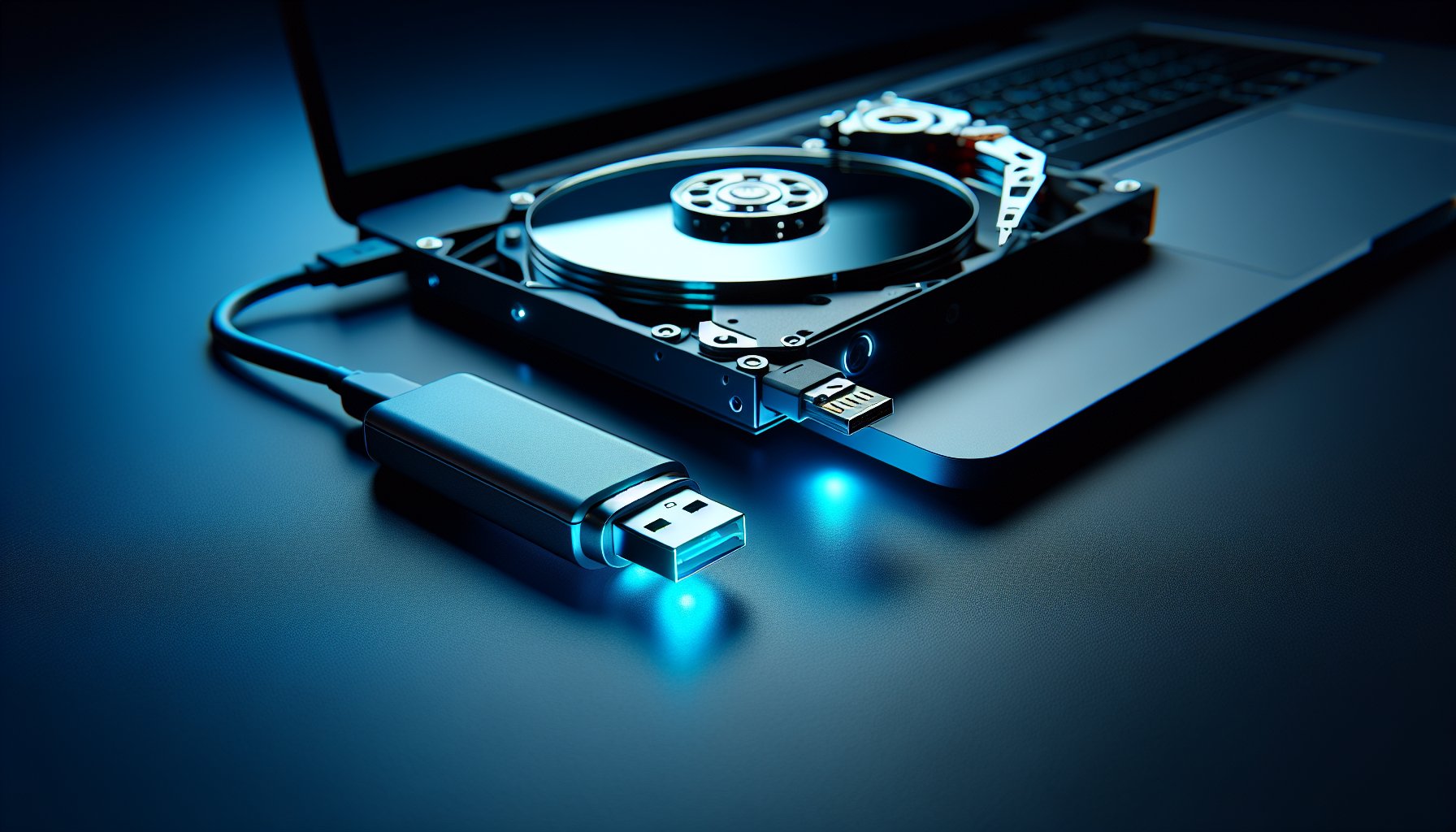
Most data erasure tools do one thing well: wipe drives. Parted Magic does that and a lot more. It is a full bootable Linux environment packed with disk management utilities — partitioning, cloning, diagnostics, benchmarking, and data erasure all in a single USB-bootable package. For IT technicians who handle a mix of HDDs and SSDs across different machines, it is one of the most practical tools available. At a starting price of $17 for a single version, it sits in a sweet spot between free command-line tools and expensive enterprise solutions.
Key Takeaways:
- Parted Magic is a bootable Linux desktop that bundles nwipe (for HDD overwriting) with graphical ATA Secure Erase and NVMe Secure Erase (for SSDs) in one package
- The GUI-based Secure Erase interface is the easiest way to perform firmware-level SSD erasure without touching the command line
- At $17 for a single version or $15/quarter for updates, it is the most affordable option for proper SSD erasure
- No certificates of erasure or compliance reporting — not suitable for regulated environments that require audit documentation
- The included toolkit (GParted, file managers, SMART diagnostics, benchmarking) makes it a versatile technician's toolkit beyond just wiping drives
What Is Parted Magic?
Parted Magic is a standalone Linux distribution designed to boot from a USB drive or CD. Unlike tools that install on your existing operating system, Parted Magic runs entirely in RAM — you boot into a full LXDE desktop environment with a taskbar, file manager, web browser, terminal, and a curated set of disk management utilities.
The project has been around since 2004. Originally free, it transitioned to a paid model in 2013 to fund ongoing development. The developer, Patrick Verner, continues to maintain and update the distribution with new features, kernel updates, and hardware support.
Parted Magic is not purely an erasure tool. It bills itself as "a complete hard disk management solution," and that description is accurate. The erasure capabilities are a major feature, but the full package includes GParted for partition management, Clonezilla for disk cloning, various filesystem tools, SMART monitoring, stress testing, and benchmarking utilities.
For this review, we are focused on the data erasure capabilities — but the breadth of the toolkit is part of what makes Parted Magic worth considering, especially if you regularly work with drives in a hands-on capacity.
Key Features for Data Erasure
Parted Magic approaches drive erasure from two angles: traditional overwriting for HDDs and firmware-level commands for SSDs. This dual approach is what makes it stand out from tools that only handle one or the other.
Erase Disk Utility (Secure Erase for SSDs)
The "Erase Disk" utility is the headliner. It provides a graphical interface for issuing ATA Secure Erase commands to SATA and mSATA SSDs, and NVMe Secure Erase commands to NVMe drives. This is the correct way to sanitize solid-state storage, since SSDs and HDDs require fundamentally different erasure approaches.
When you launch Erase Disk, Parted Magic detects connected drives and separates them by interface type. SATA/mSATA SSDs appear under the ATA Secure Erase section, while NVMe drives appear under the NVMe Secure Erase section. You select a drive, confirm the operation, and the tool sends the appropriate firmware command.
For SATA SSDs, two modes are available:
- Secure Erase: Resets all cells to their factory-empty state and zeroes the mapping table
- Enhanced Secure Erase: Generates a new internal encryption key so that any remaining data becomes undecipherable (effectively a cryptographic erase)
NVMe erasure typically completes in seconds because the drive controller handles the operation internally rather than writing over every cell from the host computer. Parted Magic includes an optional 10% verification pass after erasure to confirm that data has been cleared.
The graphical interface is the key advantage here. Performing the same operation manually requires typing hdparm or nvme-cli commands in a terminal — which is error-prone if you misidentify the target device. Parted Magic's point-and-click approach reduces that risk significantly.
nwipe (for HDD Overwriting)
For traditional hard drives, Parted Magic includes nwipe, the actively maintained open-source fork of DBAN's core wiping engine. nwipe performs sector-by-sector overwriting using established erasure methods:
- NIST 800-88 Clear — Single zero pass (sufficient for modern HDDs per NIST guidelines)
- DoD 5220.22-M — 3-pass or 7-pass overwrite (note: this standard is obsolete and no longer referenced by the DoD, but still widely recognized)
- Gutmann — 35-pass overwrite (extreme overkill for modern drives, but available)
- RCMP TSSIT OPS-II — 8-pass overwrite
- PRNG Stream — Random data fill
- Zero Fill — Single pass of zeros
nwipe runs in a text-based interface within the Parted Magic desktop. You select one or more drives, choose an erasure method, and start the process. It displays real-time progress including percentage complete, throughput speed, and estimated time remaining.
For wiping HDDs, one pass of zeros is all you need on modern drives. The multi-pass methods exist for legacy compatibility and edge cases, but NIST 800-88 has been clear since 2014 that a single overwrite is sufficient. See our complete guide to wiping a hard drive for details on choosing the right method.
ATA Sanitize
In addition to Secure Erase, Parted Magic includes a separate ATA Sanitize GUI with logging support. ATA Sanitize is a newer command set defined in the ATA specification that provides three sanitize operations:
- Block Erase: Writes fixed data patterns to all user-accessible areas
- Crypto Scramble: Changes the internal encryption key, rendering data unreadable
- Overwrite: Writes a specified pattern across the media
ATA Sanitize is considered more thorough than ATA Secure Erase because it is designed to be non-interruptible — once started, the operation runs to completion even if power is lost and restored. This prevents partially erased drives from being mistakenly treated as fully sanitized.
Additional Disk Tools
Beyond erasure, Parted Magic bundles tools that are useful before, during, and after wiping drives:
- GParted: Full-featured graphical partition editor for creating, resizing, and deleting partitions
- SMART Monitoring: Check drive health status, temperature, and error counts before deciding whether to wipe or physically destroy a failing drive
- Disk Cloning: Clonezilla integration for imaging drives before erasure
- File Manager: Browse drive contents to verify nothing important remains before wiping
- Terminal: Full bash terminal for advanced users who prefer command-line tools
- Benchmarking: Bonnie++, IOzone, and stress testing for verifying drive performance
Bottom Line: Parted Magic is the most approachable way to perform proper firmware-level SSD erasure. The graphical Erase Disk interface removes the intimidation factor of command-line Secure Erase, and bundling nwipe means you can handle HDDs in the same session. If you work with both drive types regularly, Parted Magic saves you from juggling multiple tools.

SSD Erasure with Parted Magic
SSD erasure is where Parted Magic earns its keep. Traditional overwrite tools like DBAN cannot properly erase SSDs because of how flash storage works — wear leveling algorithms, over-provisioning reserved space, and flash translation layers all hide data in areas that overwrite tools cannot access.
The correct approach for SSDs is to use firmware-level commands that instruct the drive's own controller to erase all cells, including hidden areas. Parted Magic wraps these commands in a graphical interface that walks you through the process:
- Boot from the Parted Magic USB drive
- Open the "Erase Disk" utility from the desktop or system menu
- Select the target SSD from the detected drive list
- Choose between Secure Erase (standard) or Enhanced Secure Erase (cryptographic)
- Confirm the operation and wait for completion (usually seconds for NVMe, seconds to minutes for SATA)
- Optionally run the 10% verification pass to confirm erasure
For a detailed walkthrough of the firmware-level erasure process for different SSD types, see our guide to secure erasing SSDs.
One caveat: some drives ship with a "frozen" security state that prevents Secure Erase from executing. This is a BIOS/firmware safeguard, not a Parted Magic limitation. Parted Magic can attempt to "unfreeze" the drive by putting the system to sleep and waking it, which works on many systems. If that fails, you may need to hot-plug the drive (connect it after booting) or adjust BIOS settings.
Ease of Use
Parted Magic is significantly easier to use than its command-line alternatives. The LXDE desktop environment looks and feels like a standard Linux desktop — if you have ever used Ubuntu, Mint, or any modern Linux distribution, you will be immediately comfortable.
The Erase Disk utility uses dialog boxes that guide you through drive selection and erasure mode. There is no command syntax to remember, no device path to type manually, and no risk of mistyping /dev/sda when you meant /dev/sdb. The GUI presents drive information (model, serial number, capacity, interface type) so you can visually confirm you are targeting the right device.
For HDD wiping with nwipe, the interface is text-based but straightforward. Drives are listed with their details, you use arrow keys to select, and the spacebar to toggle drives for erasure. Choose your method, press S to start, and nwipe handles the rest.
Creating the bootable USB drive is the most "technical" step in the entire process. Download the ISO from the Parted Magic website, write it to a USB drive using Rufus, balenaEtcher, or a similar tool, and boot from USB. The whole setup takes under 10 minutes.
Compared to running hdparm --user-master u --security-erase NULL /dev/sdX from a command line — and hoping you got every flag and device path right — Parted Magic's graphical approach is a substantial improvement for anyone who does not live in a terminal.
Limitations
Parted Magic is a strong tool, but it has clear gaps that may be dealbreakers depending on your use case.
No certificates of erasure. This is the biggest limitation for professional and enterprise users. Parted Magic does not generate certificates, audit logs, or compliance reports after wiping a drive. If you need documentation proving that a specific drive was erased to a specific standard on a specific date — for HIPAA, GDPR, PCI DSS, SOX, or similar regulatory requirements — Parted Magic cannot help. You would need BitRaser or another tool that produces verifiable certificates.
No centralized management. There is no cloud console, fleet management dashboard, or multi-machine coordination. Each machine must be booted individually from a USB drive. For IT asset disposition (ITAD) operations processing hundreds of drives, this is impractical.
Linux-only bootable environment. Parted Magic does not run as a Windows or macOS application. You must boot from the USB drive every time, which means restarting the computer and changing boot order. This is by design (you cannot wipe a drive from the OS running on it), but it means Parted Magic cannot do selective file or partition erasure on a running system the way tools like Eraser or EaseUS BitWiper can.
Drive compatibility edge cases. Some drives ship with firmware that does not properly support ATA Secure Erase, or that reports the drive as "frozen" in ways that Parted Magic cannot override. NVMe support has improved substantially in recent versions, but very new or uncommon NVMe controllers may not be recognized. Always check that Parted Magic detects your drive before relying on it.
No NIST 800-88 Rev. 2 labeling. While Parted Magic's erasure methods align with NIST 800-88 Clear and Purge actions in practice, the tool does not explicitly label its operations with the updated NIST 800-88 Rev. 2 (September 2025) terminology. For users who need to map their erasure process to a specific standard revision for documentation purposes, this is a minor friction point.
Pricing
Parted Magic offers four pricing tiers (as of February 2026):
| Tier | Price | What You Get |
|---|---|---|
| Single Version | $17 | One download, no updates |
| Quarterly Subscription | $15/quarter | Updates for 3 months |
| Annual Subscription | $59/year | Updates for 12 months |
| Parted Magic Forever | $199 | Lifetime access, all future updates |
All subscriptions can be canceled anytime. After a subscription expires, your downloaded version continues to work — you lose access to update downloads, not the software itself.
The $17 single version is the most practical option for most users. You get a fully functional copy of Parted Magic that does not expire. The only reason to subscribe is if you need ongoing updates for new hardware support or kernel improvements.
For comparison: KillDisk Ultimate (which includes SSD Secure Erase) costs $119.95 as a one-time purchase. BitRaser starts at $20 per drive. ShredOS is free. Parted Magic's $17 entry price makes it the most affordable paid option for SSD-capable erasure.
Pros and Cons
Pros:
- GUI-based ATA Secure Erase and NVMe Secure Erase — the easiest interface for firmware-level SSD erasure
- Includes nwipe for standards-compliant HDD overwriting (NIST 800-88, DoD 5220.22-M, Gutmann, and more)
- Full bootable Linux desktop with GParted, file managers, SMART diagnostics, and benchmarking tools
- Supports both SATA and NVMe SSDs through their respective firmware erase commands
- ATA Sanitize GUI with logging for more thorough sanitization
- Optional post-erasure verification pass
- Actively maintained with regular updates and new hardware support
- $17 entry price is the most affordable paid option for proper SSD erasure
Cons:
- No certificates of erasure or compliance reporting — unsuitable for regulated environments
- No centralized management console for fleet or multi-machine operations
- Must boot from USB every time — no Windows or macOS desktop application
- Some drives may report as "frozen" and require workarounds to unlock
- The bundled toolkit is overkill if you only need data erasure
- Subscription model for updates ($15/quarter or $59/year) when competitors offer perpetual licenses
- Interface, while functional, looks dated compared to modern commercial tools
- No free tier — even a single version costs $17
Parted Magic vs. Alternatives
| Feature | Parted Magic | ShredOS | KillDisk | BitRaser |
|---|---|---|---|---|
| Price | From $17 | Free | Free / $64.95 / $119.95 | From $20/drive |
| HDD Wiping | Yes (nwipe) | Yes (nwipe) | Yes | Yes |
| SSD Secure Erase | Yes (GUI) | Yes (CLI) | Ultimate only | Yes |
| NVMe Support | Yes (GUI) | Yes (CLI) | Ultimate only | Yes |
| Certificates | No | No | Yes (paid tiers) | Yes (tamper-proof) |
| Interface | Graphical desktop | Text-based | Graphical | Graphical |
| Bootable | Yes | Yes | Yes | Yes |
| OS Application | No | No | Windows, macOS, Linux | No |
| Extra Tools | GParted, cloning, diagnostics | None | None | None |
| Open Source | No | Yes (GPL) | No | No |
Parted Magic vs. ShredOS: Both include nwipe and SSD firmware erasure support. The difference is presentation. ShredOS is free and text-only — SSD erasure requires manual hdparm or nvme-cli commands. Parted Magic wraps everything in a graphical desktop for $17. If you are comfortable in a terminal, ShredOS saves you money. If you want point-and-click simplicity, Parted Magic is worth the price.
Parted Magic vs. KillDisk: KillDisk Ultimate ($119.95) offers SSD Secure Erase, certificate generation, and runs as a desktop application on Windows, macOS, and Linux in addition to bootable media. Parted Magic ($17) is cheaper but lacks certificates and desktop apps. Choose KillDisk if you need erasure documentation; choose Parted Magic if you want the most affordable SSD erasure with a full toolkit.
Parted Magic vs. BitRaser: BitRaser is the enterprise choice — tamper-proof certificates, 27+ standards, cloud management console, NIST and Common Criteria certifications. Parted Magic is the technician's toolbox — affordable, practical, no compliance overhead. These tools serve different audiences and needs.
Who Is Parted Magic Best For?
IT technicians and consultants who handle a mix of HDDs and SSDs across different client machines. Boot from one USB drive, wipe any drive type you encounter, check SMART data, repartition if needed — all without installing anything.
Budget-conscious users who need to erase SSDs properly but cannot justify $100+ for KillDisk Ultimate or per-drive BitRaser fees. At $17, Parted Magic is the cheapest path to proper firmware-level SSD erasure with a graphical interface.
Users uncomfortable with command-line tools who know that SSDs require Secure Erase but do not want to type hdparm commands manually. The GUI eliminates the syntax errors and device misidentification risks that come with CLI-based erasure.
Anyone preparing a computer for sale or disposal who wants to verify drive contents, check drive health, wipe the drive, and optionally repartition — all in a single session from one bootable USB.
Not ideal for: Enterprise ITAD operations, compliance-driven environments requiring certificates, or organizations that need centralized fleet management. For those use cases, look at BitRaser or compare your options in our best data erasure software roundup.
Frequently Asked Questions
Is Parted Magic free?
No. Parted Magic was free until 2013, but it is now a paid product. The cheapest option is a single-version download for $17. Quarterly subscriptions run $15, annual subscriptions cost $59, and a one-time lifetime license (Parted Magic Forever) is $199. After a subscription expires, your downloaded version still works — you just lose access to future updates.
Can Parted Magic securely erase an SSD?
Yes. Parted Magic includes a graphical Erase Disk utility that issues ATA Secure Erase commands to SATA and mSATA SSDs and supports NVMe Secure Erase for NVMe drives. These firmware-level commands instruct the drive controller to erase all cells, including areas hidden by wear leveling and over-provisioning that overwrite-based tools cannot reach.
Does Parted Magic generate certificates of data erasure?
No. Parted Magic does not produce certificates of erasure or compliance reports. If you need verifiable documentation for regulatory audits under HIPAA, GDPR, PCI DSS, or similar frameworks, you will need a tool like BitRaser or KillDisk that generates signed erasure certificates.
What is the difference between Parted Magic and DBAN?
DBAN is a free, single-purpose HDD wiping tool with a text-based interface. Parted Magic is a paid, full-featured bootable Linux desktop that includes nwipe (the modern fork of DBAN's engine) plus graphical ATA Secure Erase and NVMe support for SSDs. Parted Magic covers both HDDs and SSDs; DBAN handles HDDs only.
Does Parted Magic include nwipe?
Yes. Parted Magic bundles nwipe, which is the actively maintained open-source fork of DBAN's wiping engine. You can use nwipe within Parted Magic for overwrite-based HDD erasure using methods like NIST 800-88 Clear, DoD 5220.22-M, Gutmann, RCMP TSSIT OPS-II, and others.
Can Parted Magic wipe NVMe drives?
Yes. Parted Magic includes a dedicated NVMe Secure Erase utility with a graphical interface. It sends firmware-level erase commands directly to the NVMe controller, which typically completes in seconds. This is the correct way to sanitize NVMe SSDs, since overwrite-based methods cannot fully erase flash storage.
Is Parted Magic safe to use?
Yes, Parted Magic is a well-established tool that has been actively maintained since 2004. It boots from USB and runs entirely in RAM, so it does not modify your system. However, its erasure tools will permanently destroy data on any drive you target — there is no undo. Always double-check that you have selected the correct drive before starting an erase operation.
What operating systems can I create Parted Magic USB drives from?
You can create a bootable Parted Magic USB drive from Windows, macOS, or Linux. The download is a standard ISO file. Use a tool like Rufus (Windows), balenaEtcher (cross-platform), or dd (Linux/macOS) to write the ISO to a USB drive. The USB drive needs at least 1 GB of space.
Can I use Parted Magic to wipe my system drive?
Yes. Because Parted Magic boots from a USB drive and runs entirely in RAM, it operates independently of any installed operating system. This means you can erase the drive your OS is installed on — something you cannot do from within Windows or macOS. Boot from the Parted Magic USB, select your system drive, and erase it.
Is Parted Magic better than ShredOS?
It depends on your needs. ShredOS is free and open source, while Parted Magic costs at least $17. Parted Magic offers a full graphical desktop with a friendlier Secure Erase interface, GParted, file managers, and other utilities. ShredOS is lighter and more focused — just nwipe in a bootable wrapper. If you want the easiest GUI experience for SSD erasure, choose Parted Magic. If you want free and open source, choose ShredOS.
The Bottom Line
Parted Magic fills a specific niche well: it is the most affordable and user-friendly way to perform firmware-level SSD erasure without touching a command line. Bundling nwipe for HDDs and a full Linux toolkit for diagnostics and partitioning makes it a practical all-in-one bootable USB for IT technicians. Just know its limits — no certificates, no compliance reporting, no fleet management. For regulated environments, pair it with a tool that generates audit documentation, or choose BitRaser instead.
Last updated: February 2026. We regularly review and update our guides to ensure accuracy.
Sources:
- Parted Magic Official Website. https://partedmagic.com/
- Parted Magic Secure Erase Documentation. https://partedmagic.com/secure-erase/
- Parted Magic NVMe Secure Erase. https://partedmagic.com/nvme-secure-erase/
- NIST Special Publication 800-88 Rev. 2, Guidelines for Media Sanitization. https://csrc.nist.gov/publications/detail/sp/800-88/rev-2/final
- nwipe — Secure Disk Eraser (GitHub). https://github.com/martijnvanbrummelen/nwipe